
Templates
Three spreadsheets for jobs that come round on every tour and every launch: settling the merch table with a venue, asking printers for a price, and getting a range ready to sell. Each is free to download and to change.
ReviewedEach file is an .xlsx spreadsheet, the kind Excel saves. White cells are yours to fill in or type over. Shaded cells work themselves out, and each file has a tab that says how. Nothing here asks for an email.
To open one in Google Sheets on a computer, open a new spreadsheet there, choose File, then Import, and pick the file.
Filed or disclosedSource: Google Docs Editors Help, Import data sets and spreadsheets · checked
Tour merch settlement sheet
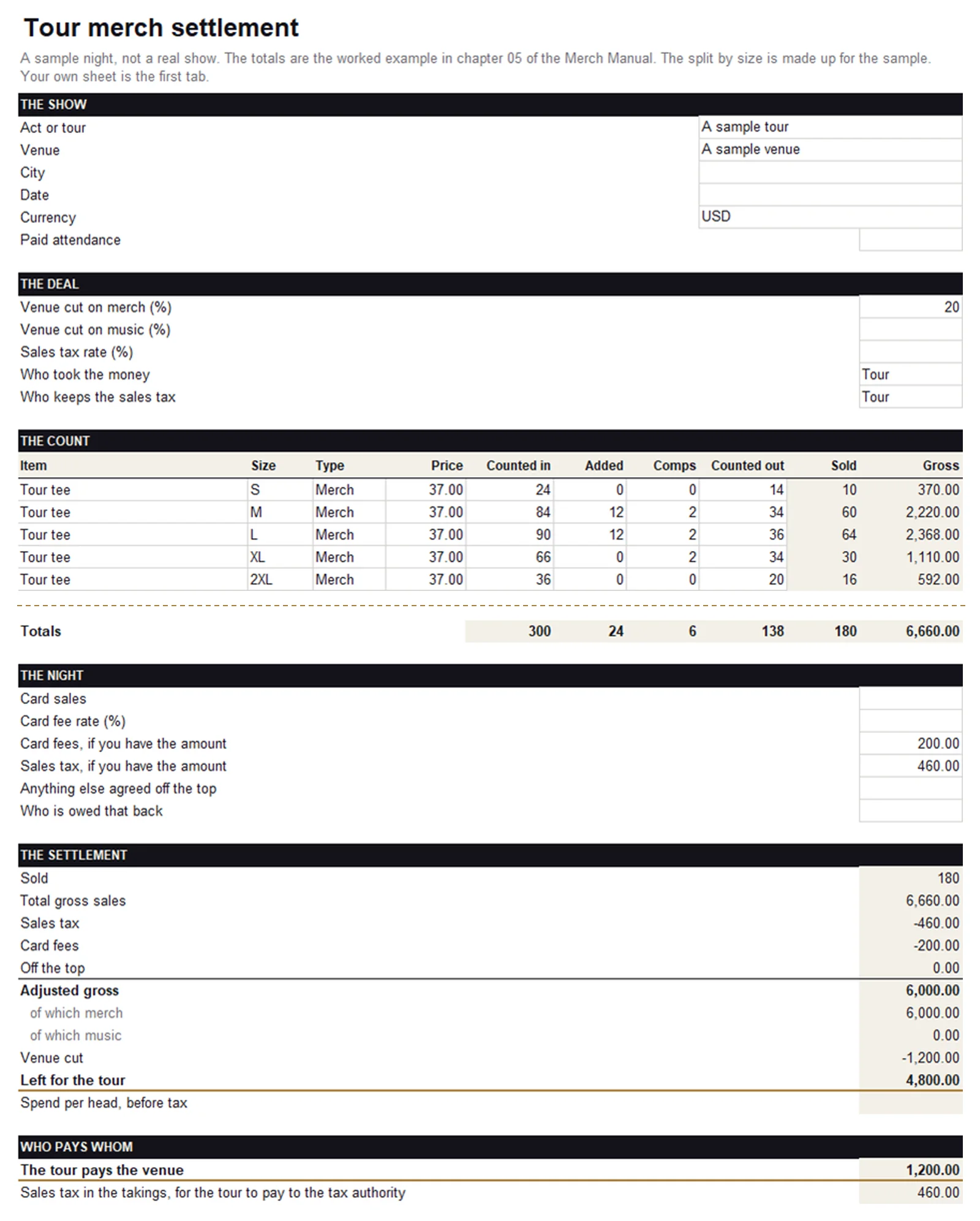
For the night of the show. Give each item in each size a line, type what was counted in before doors and what was counted out after, and the sheet works out what sold. Add the venue’s rate, the sales tax and the card fees, and it gives the adjusted gross, the venue’s cut, what is left for the tour, and who pays whom. It arrives with one night filled in: the worked example from chapter 05 of the Merch Manual, where 180 shirts at $37 leave $4,800 for the tour after tax, card fees and a 20% venue cut. Keep the empty tab empty, and work on a copy of it for each show.
- Settlement
- The sheet to fill in, in the order of the night: the show, the deal, thirty lines for the count, the night’s card sales and tax, the settlement, who pays whom, and a line for each side to sign.
- Sample night
- The same sheet with chapter 05’s worked example in it. Its split by size is made up for the sample.
- How it works
- What to do on the night, how to add a line, how each figure is worked out, and what the sheet does not do.
Filed or disclosedHow atVenu, which makes settlement software for merch tables, works out the count, the tax, the card fees, the adjusted gross and the venue’s two rates. The sheet follows it for those. How it shares tax and fees between merch and music, and its line on who pays whom, are the sheet’s own. The sample night is the Manual’s, and is not a real show. · Source: atVenu help, What is Adjusted Gross?, atVenu help, What is a Venue Cut?, atVenu help, How does atVenu calculate the taxes displayed on my Settlement page?, atVenu help, Settling a show on the web, atVenu help, Working with Counts on the web · checked
The sheet assumes one side took all the money, cash and cards, and uses one tax rate for the whole table. It leaves out tips and stock sold to the crew. It is not tax advice.
Supplier quote request
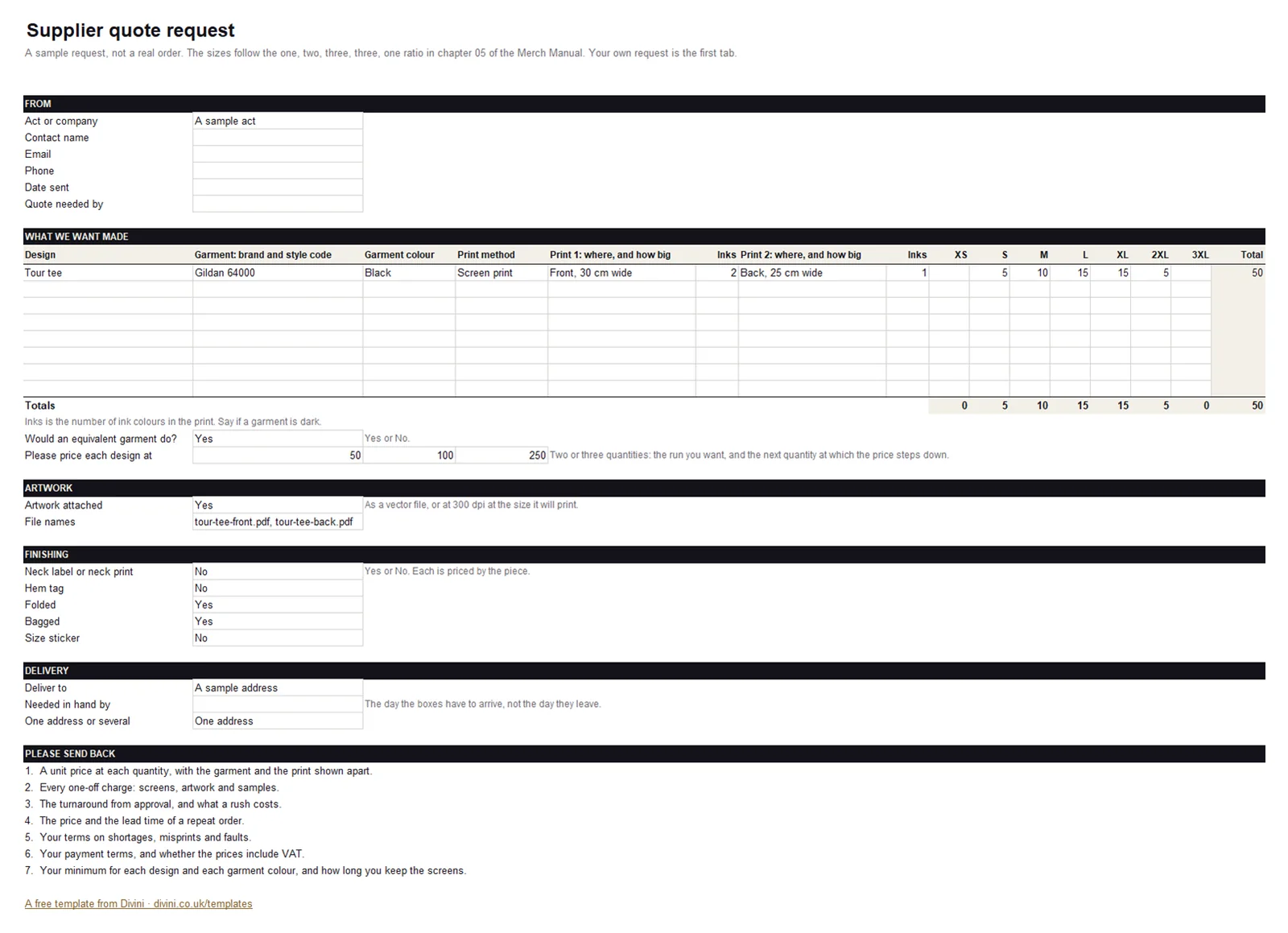
For getting prices that can be compared. A printer prices five things: the garment, the print, the quantity, the finishing and the delivery. Fill in the request once, with each design’s garment, prints and sizes, and send every printer a copy in the same words. Type what comes back into the second tab, one design at a time. It adds up the whole order for each printer, with screens, samples, finishing and delivery in it, takes the VAT out of a reply that is priced with it, and gives what that comes to for each piece. It also counts the prices a printer left out, because an empty price is not a free one. A third tab is for a vending partner, whose request starts from the routing. The questions are the ones in the Manual’s guide to finding and vetting suppliers.
- Quote request
- What to send: each design with its garment, prints and sizes, then artwork, finishing, delivery, and what to send back.
- Compare replies
- Three printers side by side at up to three quantities, for one design, with every charge and VAT brought onto the same footing, and their terms.
- Vending partner
- The routing with your estimate for each show, and the same show priced three ways: as a share of sales, as a rate for the show, and as cost plus a fee.
- Example
- A request filled in for one design.
- How to use it
- The steps, and how each comparison is worked out.
Merch launch checklist
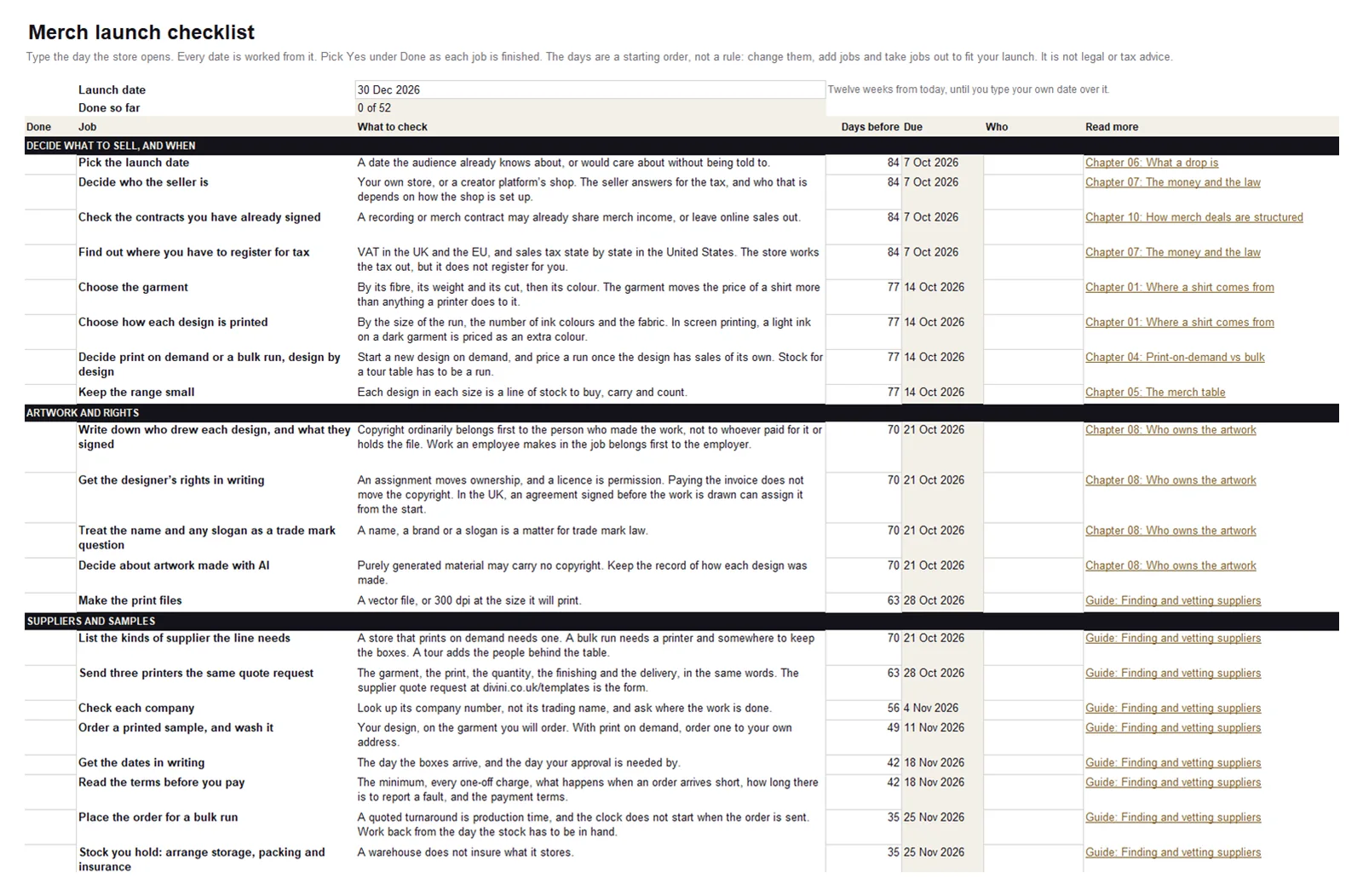
For the weeks either side of a launch. Type the day the store opens and every job gets a date worked from it, most of them before the launch and a few after. The jobs run from picking the date and deciding who the seller is, through the garment, the designer’s rights, samples, a printer’s terms, the price, the store’s settings and tax, to the announcement and what to count afterwards. Each one links the chapter or guide of the Merch Manual that explains it. The days are a starting order of ours, not a rule and not a lead time, and are yours to change. The list holds no rates, thresholds or deadlines: those change, so it leaves them to the chapters, where each has its source and a date.
- Checklist
- 52 jobs in 8 stages. Each has a box to mark it done, what to check, a date, room for a name, and a link to its chapter.
- How to use it
- How the dates are worked out, how to add a job or take one out, and what the list leaves out.
The checklist is not legal or tax advice. Tax, copyright and consumer law differ by country, and its lines say which country a rule belongs to.
Using them
The files are free to use and to change. Put your own name on them. Each file’s notes say how to add a line and how to take one out.
If a formula gives a wrong answer, write to contact@divini.co.uk and say which cell.